Online vs In-Store Passport Photos: Cost & Quality Compared
Compare online and in-store passport photos — cost, quality, processing time, and which option cuts rejection risk.
Online vs In-Store Passport Photos: Cost & Quality Compared
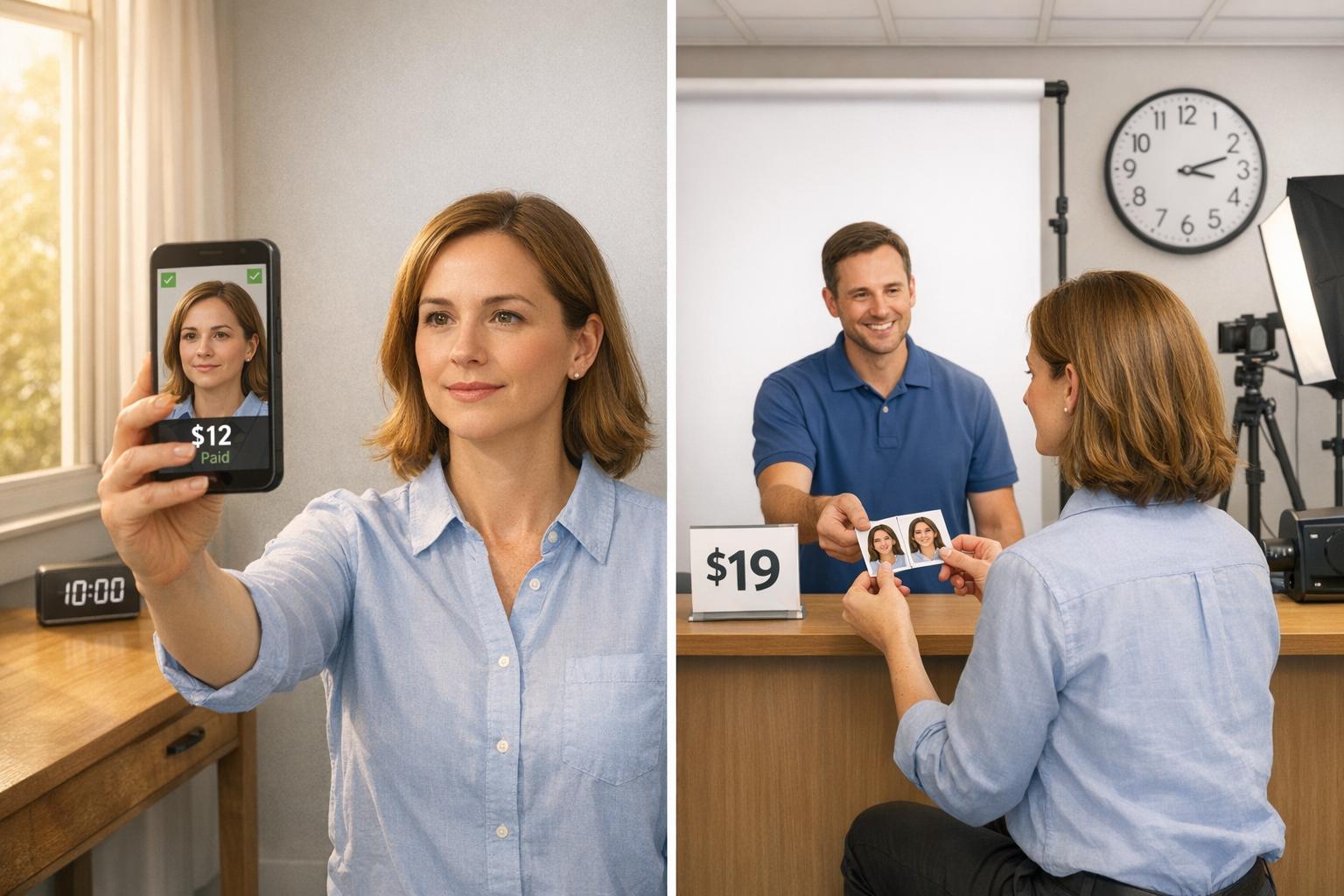
When it comes to getting a U.S. passport photo, you have two main options: online services or in-store locations. Here's the quick breakdown:
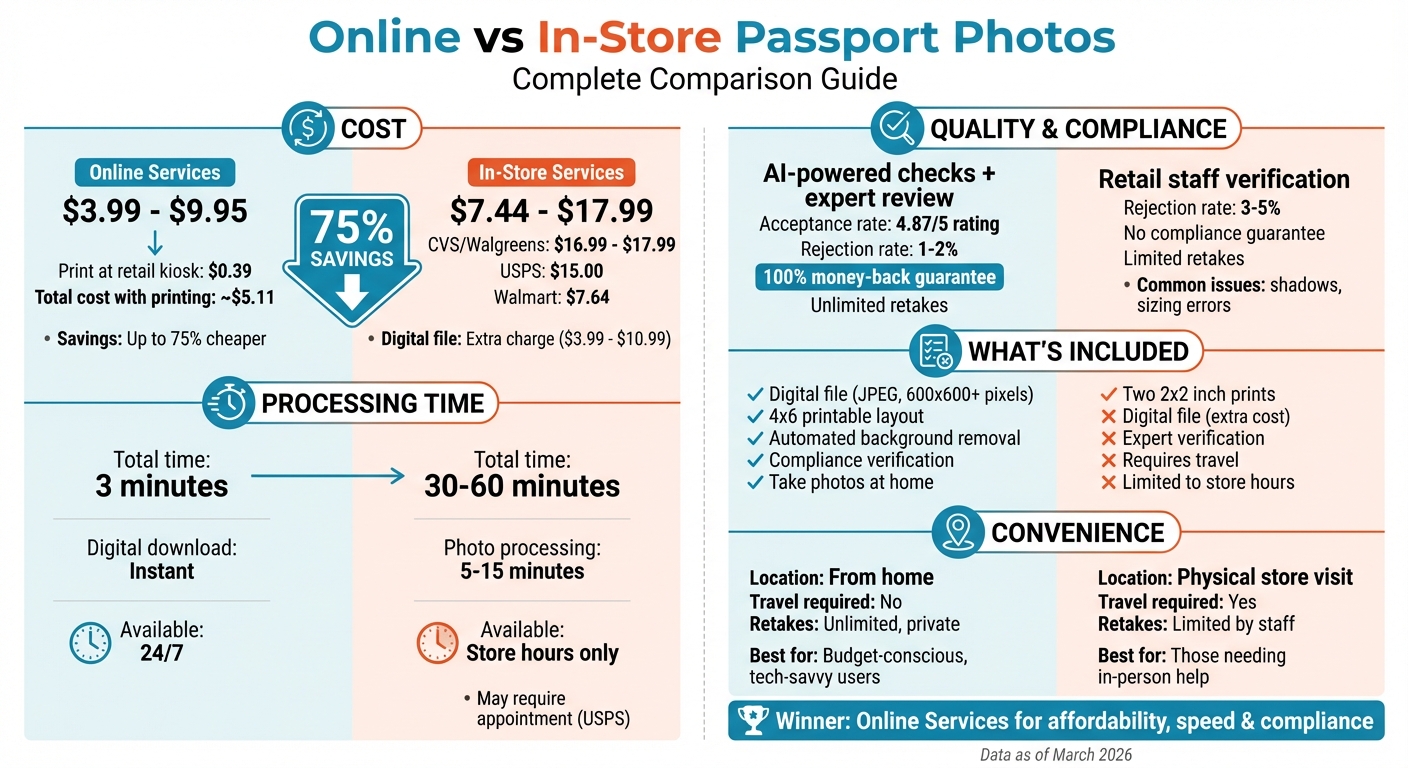
- Online services: Cost between $3.99 and $9.95, offer digital files, compliance checks (AI + human review), and allow you to take photos at home. You can print a 4x6 layout for as little as $0.39 at a retail kiosk.
- In-store services: Cost between $7.44 and $17.99 for two printed photos. They require a physical visit, may involve longer wait times, and typically charge extra for digital files.
Key Differences:
- Cost: Online is up to 75% cheaper.
- Convenience: Online lets you take photos anytime, while in-store requires travel and adherence to store hours.
- Quality: Online services often reduce rejection risks with automated and manual checks. In-store photos can suffer from lighting or background issues.
- Processing Time: Online services provide instant digital downloads, while in-store takes 5–15 minutes for prints.
For affordability, flexibility, and faster results, online services are ideal. In-store options might suit those without access to digital tools or who prefer in-person help.
Online vs In-Store Passport Photos: Cost, Quality & Convenience Comparison
BEST to WORST Passport Photo Services (We compared CVS x WALMART x WALGREENS x US POST OFFICE)
sbb-itb-84f4ca2
1. U.S. Passport Photo Requirements
To ensure your passport application goes smoothly, it's crucial to meet the Department of State's strict photo standards. Here's what you need to know.
Required Compliance Standards
Your passport photo must be 2 x 2 inches (51 x 51 mm), with your head size measuring between 1 inch and 1 3/8 inches (25–35 mm) from chin to top. The head should be centered horizontally, and you must face the camera directly with both eyes open and your mouth closed.
The background must be white or off-white, free of shadows. Photos need to be taken within the last 6 months. A neutral expression is mandatory; if you choose to smile, it must be subtle, with no teeth showing.
Glasses are not permitted in passport photos (a rule in place since November 2016), except for documented medical reasons. If needed, a signed doctor's statement is required. Similarly, head coverings are allowed only for religious or medical purposes, and you must provide a signed statement. The covering cannot obscure any part of your face or cast shadows.
For digital photos, acceptable formats include JPEG, PNG, HEIC, or HEIF, with file sizes between 54 KB and 10 MB and a resolution of at least 600 x 600 pixels. Printed photos must be on matte or glossy photo-quality paper, free of holes, creases, or smudges. Additionally, photo editing is strictly forbidden:
Do not change your photo using computer software, phone apps or filters, or artificial intelligence.
Non-compliance with these guidelines is the leading cause of passport application rejections, which can delay processing by 2 to 8 weeks. Knowing these rules can help you decide whether to use a U.S. passport photo online or an in-store photo service.
2. How Online Passport Photo Services Work
Online passport photo services eliminate the hassle of going to a physical location. It’s simple: upload a recent photo or snap a new one right from the comfort of your home. This easy process is the foundation of what Passport Photo Ready offers.
Passport Photo Ready Features
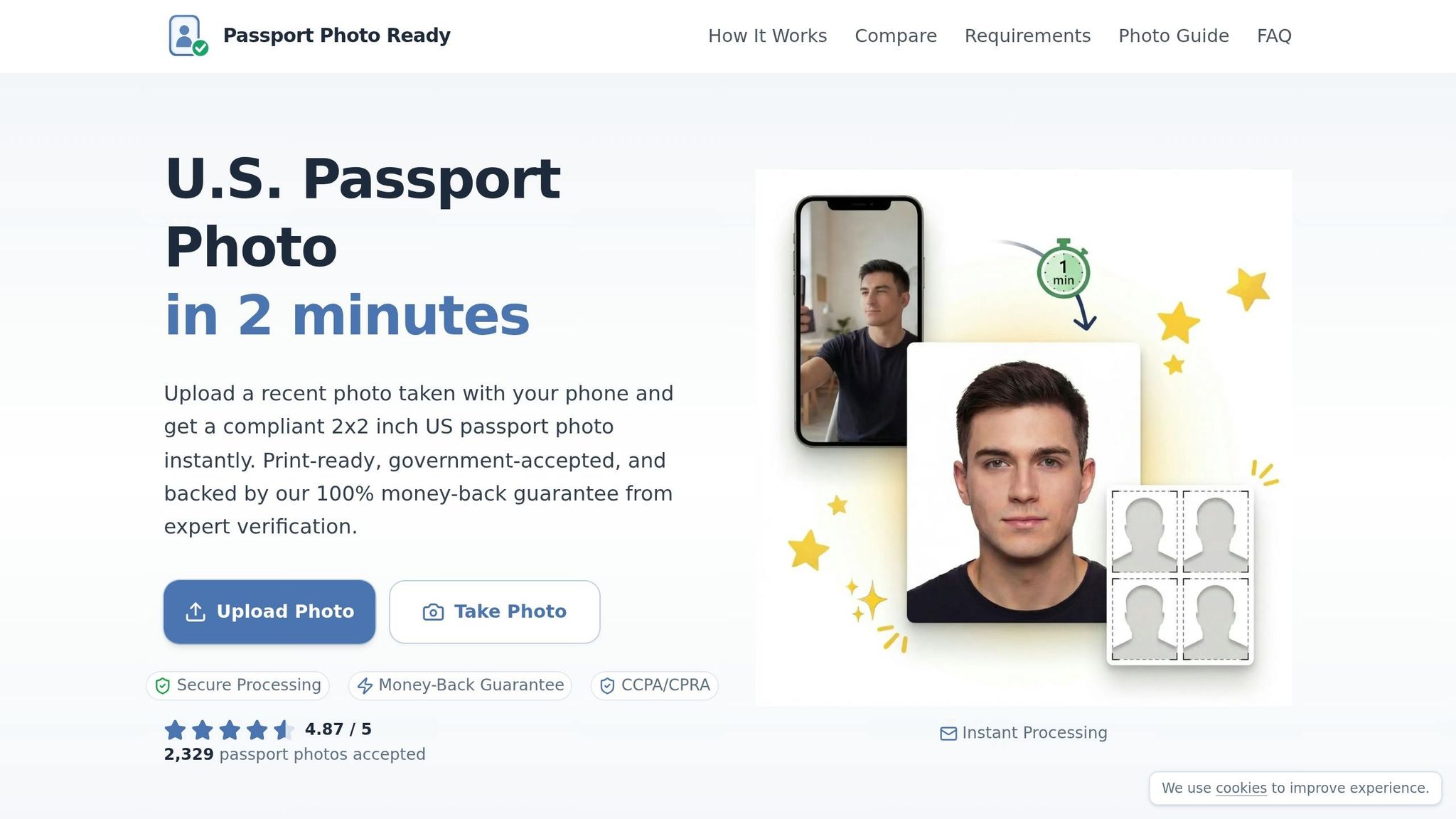
Passport Photo Ready simplifies the process with a quick, three-step system that takes just 2 minutes. First, you upload or take a photo. The platform automatically adjusts the background to plain white, crops the image to the required 2 x 2 inch size, and fine-tunes the lighting to remove any shadows.
Each photo is then reviewed by compliance experts to ensure it meets U.S. State Department standards. This combination of automated tools and human verification comes with a 100% money-back guarantee if your photo is rejected. With a stellar rating of 4.87/5 from 2,329 accepted photos, the service consistently delivers reliable results.
You’ll receive a 2 x 2 inch digital photo for online applications and a 4 x 6 inch printable sheet featuring multiple photos. This dual option is perfect for those in a rush and helps save money - printing at retail stores costs just $0.39, a fraction of the $16.99 typically charged for in-store passport photos. If you prefer, you can also pick up professional prints at your local Walgreens.
Privacy and Data Security
Efficiency aside, Passport Photo Ready prioritizes your privacy. All photos are encrypted to prevent unauthorized access. Plus, images are automatically deleted from their servers within 72 hours, and no data is shared with third parties. Their practices align with CCPA/CPRA privacy rights, ensuring you remain in control of your personal information throughout the process.
3. How In-Store Passport Photo Services Work
Stores like CVS, Walgreens, and Walmart provide passport photo services during their regular business hours, typically on a first-come, first-served basis. To get started, you simply head to the photo counter and request a U.S. passport photo. A trained associate takes your picture using a specialized camera and system designed to meet government standards. The setup ensures proper head positioning, lighting, and a plain background. After the photo is taken, software checks for compliance, and within 5 to 15 minutes, you’ll receive two 2 x 2-inch printed photos.
It’s worth noting that the basic service includes only physical prints. If you need a digital copy, that’s an extra charge. For example, CVS charges $3.99 to email a digital file or $10.99 for a USB copy.
Here’s a quick breakdown of the process and some of the common challenges you might encounter.
In-Store Process Steps
The in-store passport photo process generally involves five straightforward steps:
- Find a Photo Center: Use the store’s website to locate a nearby location.
- Request the Service: Ask for a U.S. passport photo at the photo counter.
- Photo Capture: Stand against a plain backdrop while the associate takes your photo.
- Verification and Payment: The associate ensures the photo meets requirements and processes your payment for two prints.
- Review the Photo: Check the prints for issues like incorrect cropping or zoom. If something looks off, you can request a reprint using "Full Image" settings.
While the process is relatively quick - usually taking 5 to 15 minutes - busy times could mean waiting up to 30–60 minutes.
In-Store Service Drawbacks
Despite being convenient, in-store passport photo services have a few downsides. For starters, retail staff may not have extensive training in passport photo standards, especially for complex cases like infants. This can result in problems like shadows in the background or incorrect head sizing, which might cause your photo to be rejected - requiring another trip to the store.
Cost is another factor to consider. As of March 2026, CVS charges $17.99 for two prints, while Walgreens is slightly cheaper at $16.99. Walmart offers a more affordable option at around $7.44, but availability depends on the location. If you’re looking to save money, printing a pre-formatted 4 x 6-inch photo template at a self-service kiosk can cost as little as $0.35 to $0.50 - a savings of over $15.
Lastly, if you need a digital copy for an online passport application, you’ll have to pay extra, as it’s not included in the standard service.
4. Price Comparison: Online vs. In-Store
When it comes to passport photos, online services are far more budget-friendly, costing 60%–75% less than in-store alternatives. Online prices typically range from $3.99 to $9.95, which often includes a high-resolution digital file and a 4 x 6-inch printable layout featuring multiple photos - all for less than $10. On the other hand, major retail locations charge between $7.64 and $17.99 for just two printed photos, and these usually don’t come with a digital file. This means you could save up to 75% by opting for an online service.
Here’s a clever money-saving trick: use a passport photo maker to create a compliant 4 x 6-inch layout, then print it at a retail kiosk for just $0.12–$0.39. This brings your total cost to around $5.11, slashing expenses by roughly 70% compared to in-store pricing.
Service Pricing Details
| Service Type | Price | What's Included |
|---|---|---|
| Passport Photo Ready | From $8.99 | Digital download, 4 x 6-inch printable sheet, expert verification, Walgreens pickup option |
| Walmart | $7.64 | Two 2 x 2-inch prints only |
| UPS Store | $11.99 | Two 2 x 2-inch prints only |
| USPS | $15.00 | Two 2 x 2-inch prints only (requires appointment) |
| CVS/Walgreens | $16.99–$17.99 | Two 2 x 2-inch prints only; no digital file, no expert verification |
| Staples | $17.99 | Two 2 x 2-inch prints only |
For online passport renewals, you'll need a digital file in JPEG format with a resolution of at least 600 x 600 pixels. Online services not only save you money but also provide this digital file, avoiding the extra fees often charged by in-store providers.
Next, we’ll dive into how quality and compliance measures compare between these two options.
5. Quality and Compliance Comparison
When deciding where to find a passport photo near me, it's essential to weigh the quality and compliance measures of each option. Passport Photo Ready combines AI technology with expert reviews to ensure your photo meets official standards. Their process checks critical factors like head size (which should be between 1 and 1⅜ inches), eye level, and facial proportions. On top of that, manual reviews help catch any common issues that automated checks might miss. This thorough approach sets online services apart from traditional in-store methods.
In contrast, in-store services depend on retail staff to position and verify your photo. Unfortunately, physical backdrops often lead to shadows or uneven textures, and harsh overhead lighting at pharmacy kiosks can create unflattering shadows - one of the main reasons photos get rejected. Sizing mistakes, background discoloration, and shadowing are frequent problems with in-store photos, leading to higher rejection rates.
Another key difference? Passport Photo Ready offers a compliance guarantee, promising a full refund if your photo is rejected by the government. Most retail pharmacies lack this kind of assurance. Some specialized online services even boast acceptance rates over 99.9% thanks to manual image adjustments. This level of reliability is rarely available with in-store options.
Quality Control Methods
Passport Photo Ready also stands out by automatically adjusting backgrounds and allowing unlimited retakes from the comfort of your home. In-store services, on the other hand, are constrained by staff availability and time limits.
Quality Comparison Table
Here’s a quick look at how the two options compare:
| Factor | Passport Photo Ready | In-Store Services |
|---|---|---|
| Expert Verification | AI-powered checks + manual expert review | Retail staff manual verification |
| Compliance Guarantee | 100% money-back guarantee | None |
| Background Quality | Automated removal and correction | Physical backdrop; prone to shadows |
| Retake Flexibility | Unlimited retakes at home | Limited by staff availability |
| Digital File Included | Standard inclusion | Often unavailable or extra cost |
6. Convenience and Processing Time Comparison
When it comes to convenience, online and in-store passport photo services offer very different experiences. With Passport Photo Ready, you can handle everything in about three minutes without leaving your home. There's no need for driving, waiting, or scheduling appointments. In contrast, in-store services typically take between 30 to 60 minutes from start to finish.
Convenience Differences
The key advantage of online services like Passport Photo Ready is the flexibility they provide. You can take your passport photo anytime - day or night - with just a smartphone and a plain wall. This flexibility is especially helpful for people with mobility challenges. Plus, the service offers instant compliance checks and lets you retake your photo as many times as needed, all from the comfort of your home.
In-store services, however, require a trip to a physical location like CVS, Walgreens, or the post office. This adds travel time and costs, while also limiting you to the store's operating hours. Additionally, wait times at these locations can stretch longer, especially during busy periods.
Processing Speed
Processing speed is another area where online services shine. Passport Photo Ready provides instant digital downloads once your photo passes verification. You can use the JPEG file immediately for online passport renewals or print a 4x6 layout at stores like Walgreens for same-day pickup - all at a lower cost compared to retail prices.
In-store services, on the other hand, take anywhere from 5 to 15 minutes for photo processing, depending on the location. For USPS services, you'll need an appointment, and the cost is typically $15.00.
Convenience Comparison Table
| Factor | Passport Photo Ready | In-Store Services |
|---|---|---|
| Travel Required | No; complete from home | Yes; a physical visit is necessary |
| Processing Time | Instant digital; ~3 minutes total | Approximately 30–60 minutes total |
| Availability | 24/7 from any location | Limited to store hours |
| Retakes | Unlimited and private | Typically limited by staff availability |
| Appointments | Not required | Often required, especially for USPS passport photos |
| Digital File Included | Yes, instant digital download | Usually not included or available at extra cost |
7. How to Choose the Right Option
Deciding on the best passport photo service depends on factors like cost, accuracy, convenience, and your access to technology. Here's a breakdown to help you make the right choice.
If you're watching your budget, online services are a clear winner. They typically cost between $3.99 and $4.99, a fraction of the $15.00 to $16.99 charged at most retail locations. This is especially helpful if you need multiple photos. But cost isn't the only thing to consider - accuracy plays a big role too.
Online services shine when it comes to compliance. With automated and manual checks, they drastically reduce the chance of errors. AI-powered platforms boast rejection rates as low as 1–2%, compared to the 3–5% rejection rates seen with in-store services. This matters because a rejected photo not only delays your application but also costs you extra time and money. Online platforms verify key details like head size, eye level, and background before you even make a payment, giving you peace of mind. Here's when each option makes the most sense.
When to Choose Online Services
Online services like Passport Photo Ready are your go-to if you're looking for affordability, accuracy, and convenience. They’re perfect if you need a digital file for a renewal or application, or if you prefer the flexibility of snapping your photo at home. This is especially handy when photographing young children or if your schedule doesn’t allow for a trip to a store.
These services are ideal for anyone comfortable using a smartphone or computer. You can take as many retakes as you need in the privacy of your home until you’re happy with the result. The whole process takes just 7 to 15 minutes, and you’ll get an instant digital download along with a printable layout.
When to Choose In-Store Services
In-store services come in handy when you need in-person assistance or lack access to digital tools like smartphones or reliable internet. For first-time passport applicants filing Form DS-11, getting your photo taken during your USPS appointment ensures it meets all requirements and is accepted on the spot.
That said, keep in mind the downsides. In-store visits require travel time, adherence to store hours, and typically don’t include digital files in their standard pricing. If these factors aren’t a concern and you value face-to-face service, this option might work best for you.
Conclusion
Getting a USCIS-style passport photo that meets all the requirements means juggling cost, quality, and convenience. Online services tend to be much cheaper than in-store options, which usually don’t include digital copies. For example, Passport Photo Ready starts at $8.99, offering an instant digital download and a printable 4×6 layout, with the option to pick up prints at Walgreens.
Compliance is another key factor. Rejected photos can delay your passport application, and online platforms use AI checks and expert reviews to reduce rejection rates.
Convenience also matters. Online services let you take unlimited retakes from home in just a few minutes, while in-store options involve travel, waiting, and often longer processing times. Online platforms deliver instant digital results, making them ideal for quick turnarounds.
For speed, affordability, and access to digital files, online services are a great choice. However, first-time applicants who need in-person guidance might find in-store services more helpful. Knowing these trade-offs can help you pick the best option for your passport photo needs.
FAQs
What’s the easiest way to print an online passport photo correctly?
The simplest method is to design a compliance-ready 4x6 photo layout online that adheres to official guidelines. Afterward, head to a local store like CVS or Walgreens and print it for around $0.39. Many online tools allow you to verify measurements, preview the layout, and ensure it matches size, background, and head position requirements before printing at a self-serve kiosk.
Will my online passport photo work for both online renewal and a mailed application?
Yes, you can use an online passport photo for both online renewal and mailed applications, provided it meets the official specifications for digital uploads and printed photos. Make sure your photo adheres to U.S. passport photo requirements to prevent any delays or rejections.
What home setup helps avoid shadows and rejection?
To ensure your passport photo meets requirements and avoids rejection, use a plain, light-colored background. Make sure the lighting is even and free of shadows, and position the camera at eye level. These simple adjustments can significantly improve your photo's chances of being accepted.